Recurring Sessions: Schedule Once, Focus on Therapy
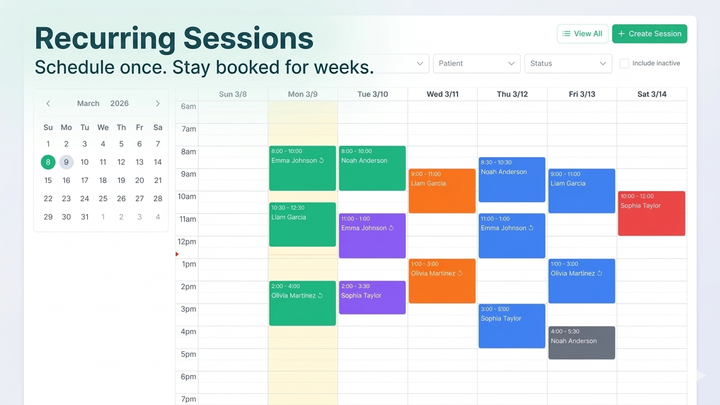
Recurring Sessions: Schedule Once, Focus on Therapy
It's Monday morning. You're a clinic administrator with 20 patients, each receiving therapy three to five times a week. That's anywhere from 60 to 100 sessions to create — every single week. You open the calendar, start clicking: pick a patient, assign an aide, set the time, choose the treatment plan, save. Repeat. Halfway through, you realize you accidentally double-booked an aide at 2 PM on Wednesday. You delete, recreate, and keep going.
That routine ends today.
What Are Recurring Sessions?
Recurring Sessions let you define a schedule pattern once and have ABACare generate the individual sessions automatically. Instead of creating each appointment by hand, you set the rules:
- Which patient and optionally which aide
- Which treatment plan to follow
- Which days of the week (or daily/monthly)
- What time the sessions start and end
- How long the series should run — indefinitely, until a specific date, or for a set number of sessions
ABACare supports four recurrence patterns: Daily, Weekly, Biweekly, and Monthly. For most clinics, Weekly and Biweekly cover the vast majority of scheduling needs, but the flexibility is there when you need it.
The best part? Before anything is created, you get a full preview showing exactly which sessions will be generated and which dates will be skipped due to conflicts.
How It Works
Setting up a recurring schedule takes less than a minute:
- Open a patient's profile and navigate to the Sessions tab
- Switch to "Recurring Schedules" — a new tab right next to the session list
- Click "Create Recurring Schedule" to open the setup dialog
- Choose your recurrence type — Daily, Weekly, Biweekly, or Monthly
- Pick the days — for Weekly and Biweekly, select which days of the week using simple day chips
- Set the time window — start time, session duration, and the end time is calculated for you
- Define an end condition — never (ongoing), a specific end date, or a maximum number of sessions
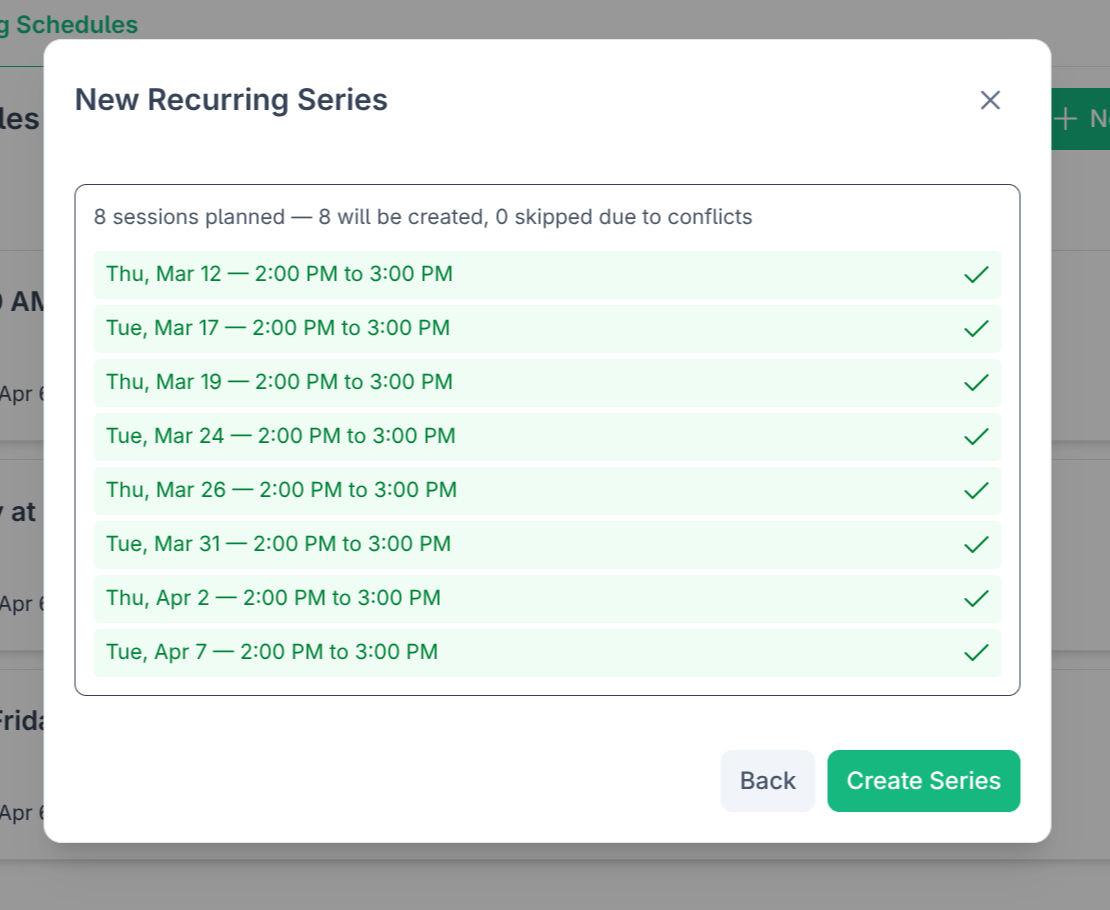
- Preview — see every date that will be generated, with clear indicators for any that will be skipped
- Confirm — sessions appear on the calendar instantly
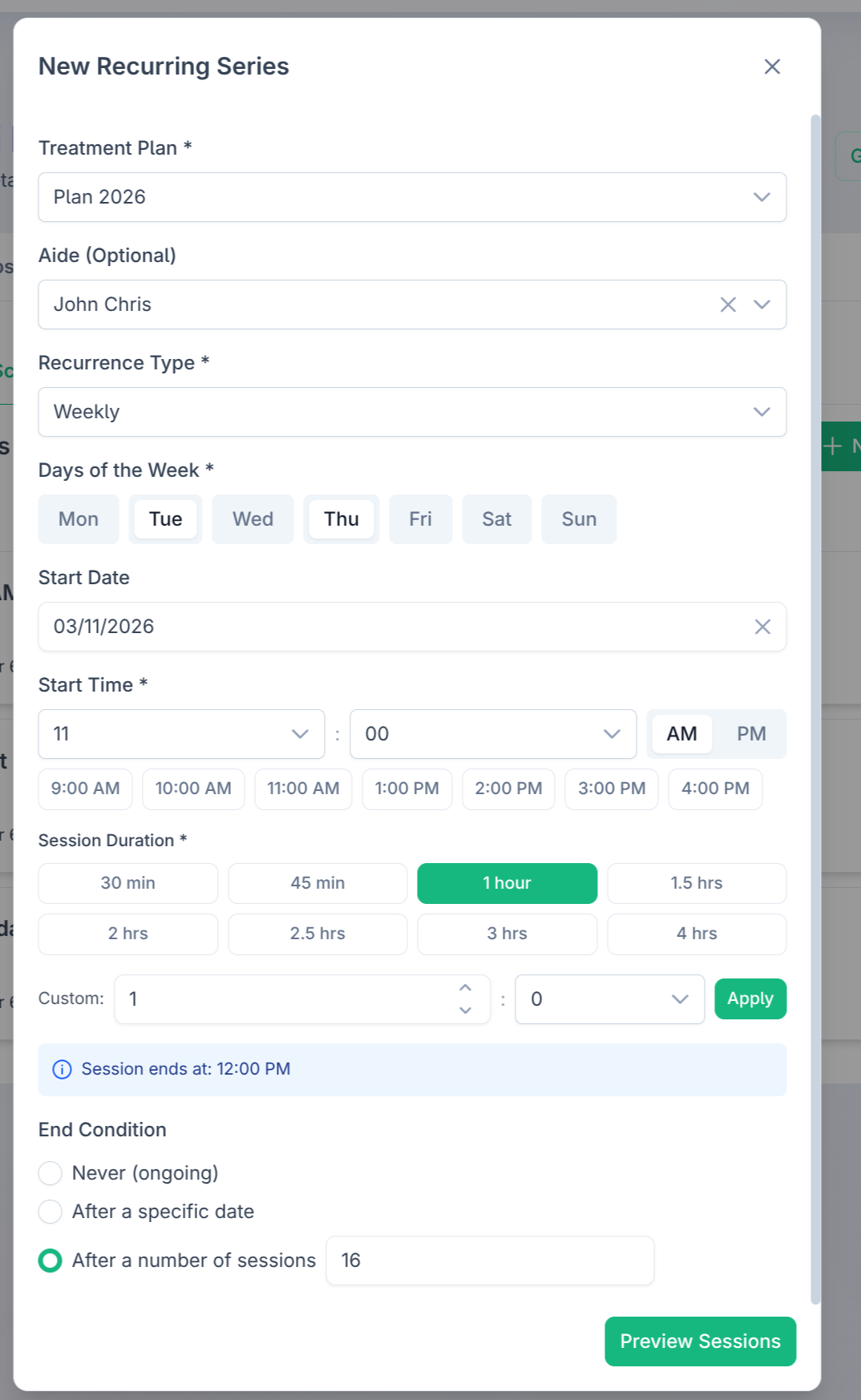
The preview step is where the real value shows. You see the exact dates, can spot conflicts before they're created, and know exactly how many sessions will land on the calendar.
Managing Your Schedules
Life at a clinic doesn't follow a perfect pattern. Kids get sick, aides go on vacation, school breaks disrupt routines. Recurring schedules adapt:
- Pause a series when a patient is on break — the schedule definition stays intact, and you can resume it anytime without recreating anything
- Resume picks up right where you left off, generating the next batch of sessions while skipping dates that are already covered
- Cancel when a series is no longer needed — all future unstarted sessions are automatically removed from the calendar
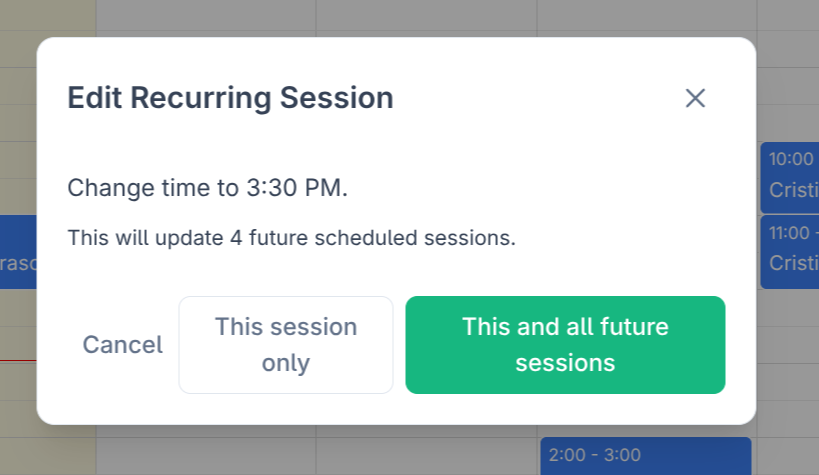
- Edit one or all — drag a recurring session on the calendar and choose whether the change applies to just that occurrence or to all future sessions in the series
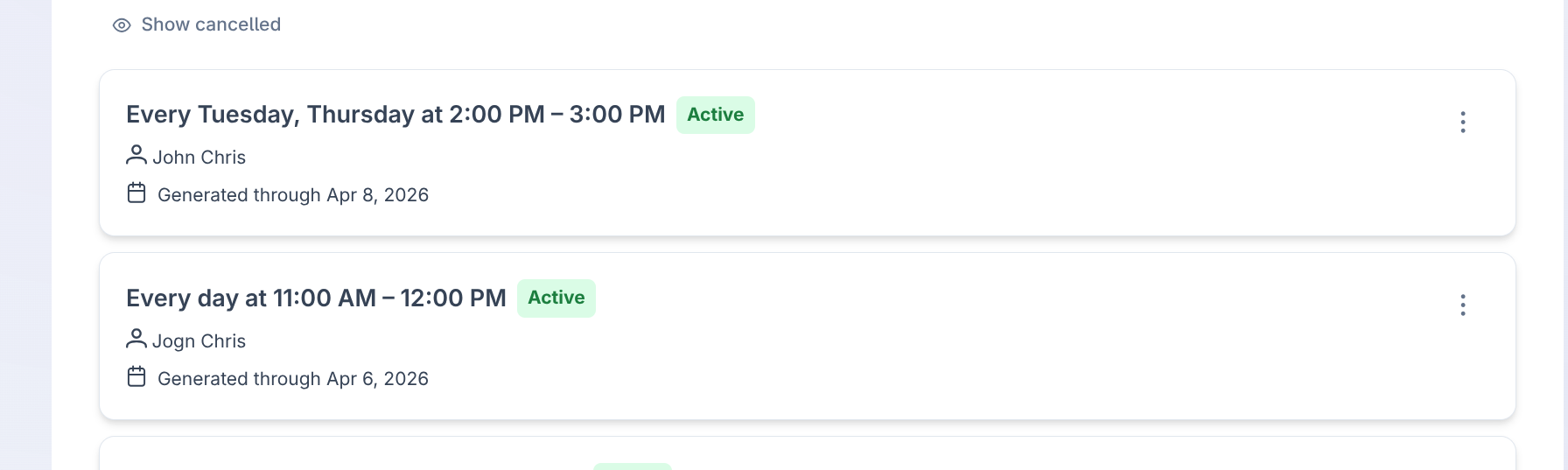
Each series card gives you a clear view: the recurrence description in plain language, the current status, how far out sessions have been generated, and quick action buttons.
Built-In Conflict Intelligence
Double-bookings are one of the most common scheduling headaches in ABA clinics. Recurring Sessions handle this proactively.
Before generating any session, ABACare checks whether the patient or aide already has a session at that time. If a conflict is found, that specific date is skipped — not the entire series. You get a detailed skip log showing exactly which dates were skipped and why, so nothing falls through the cracks.
No more manually scanning the calendar for overlaps. No more "I thought she was available on Thursdays."
On the Calendar
Recurring sessions integrate seamlessly with the calendar you already use:
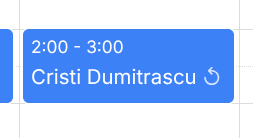
- A repeat icon appears on every session that belongs to a series
- Click the icon to jump directly to the series management view for that patient
- Drag and resize a recurring session, and a dialog asks whether to apply the change to this session only or to all future sessions
When you need to modify a recurring session, you get the same choice: update just this one, or this session and everything after it.
Available Now
Recurring Sessions is available today for all ABACare plans. If you're already using ABACare, head to any patient's Sessions tab and look for the new "Recurring Schedules" section. If you're new, this is one more reason to see what ABACare can do for your clinic.
We're just getting started with scheduling automation. Up next: smarter suggestions based on historical patterns and full recurring schedule support on the mobile app.
Spend less time scheduling. Spend more time where it matters — with your patients.