Breadcrumb: Aide › Editing during a session
Add a reward in session
Add a reward that is not on the learner's plan during a session in the mobile app, when your clinic allows it, and log it right away.
Applies toAide
When the rewards on the plan are not working today, you can add a new one during the session and give it straight away, instead of waiting for your BCBA to change the plan. You do this in the mobile app. Your BCBA sees the new reward on the plan with the reason you gave.
Before you start
- Your clinic grants this permission: the org owner turns on Add new rewards during sessions for you. Without it, + Add new reward does not appear, and if the plan has no rewards, the Rewards tab is hidden.
- Only the mobile app has this. The web app has no way for aides to add a reward.
- You must be the aide assigned to the session, and the session must be In Progress.
- The button is hidden while you are offline.
Add the reward
Open the session and tap Data Collection, then the Rewards tab.
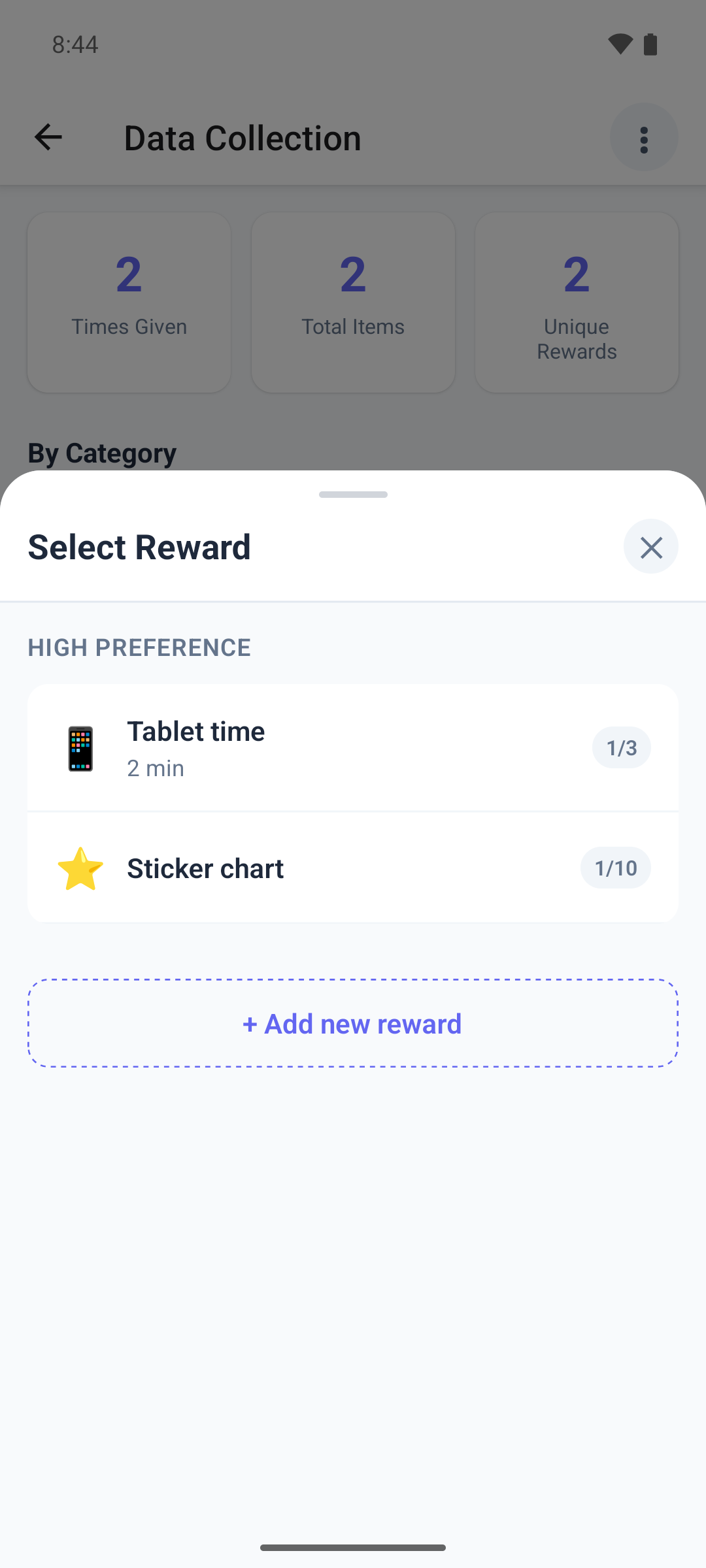
Tap the + button. Select Reward opens with the rewards on the learner's plan, by preference.
- Check that the reward is not there already: ABACare does not stop you from adding the same name twice.
- Below the list, tap + Add new reward. The Add reward form opens.
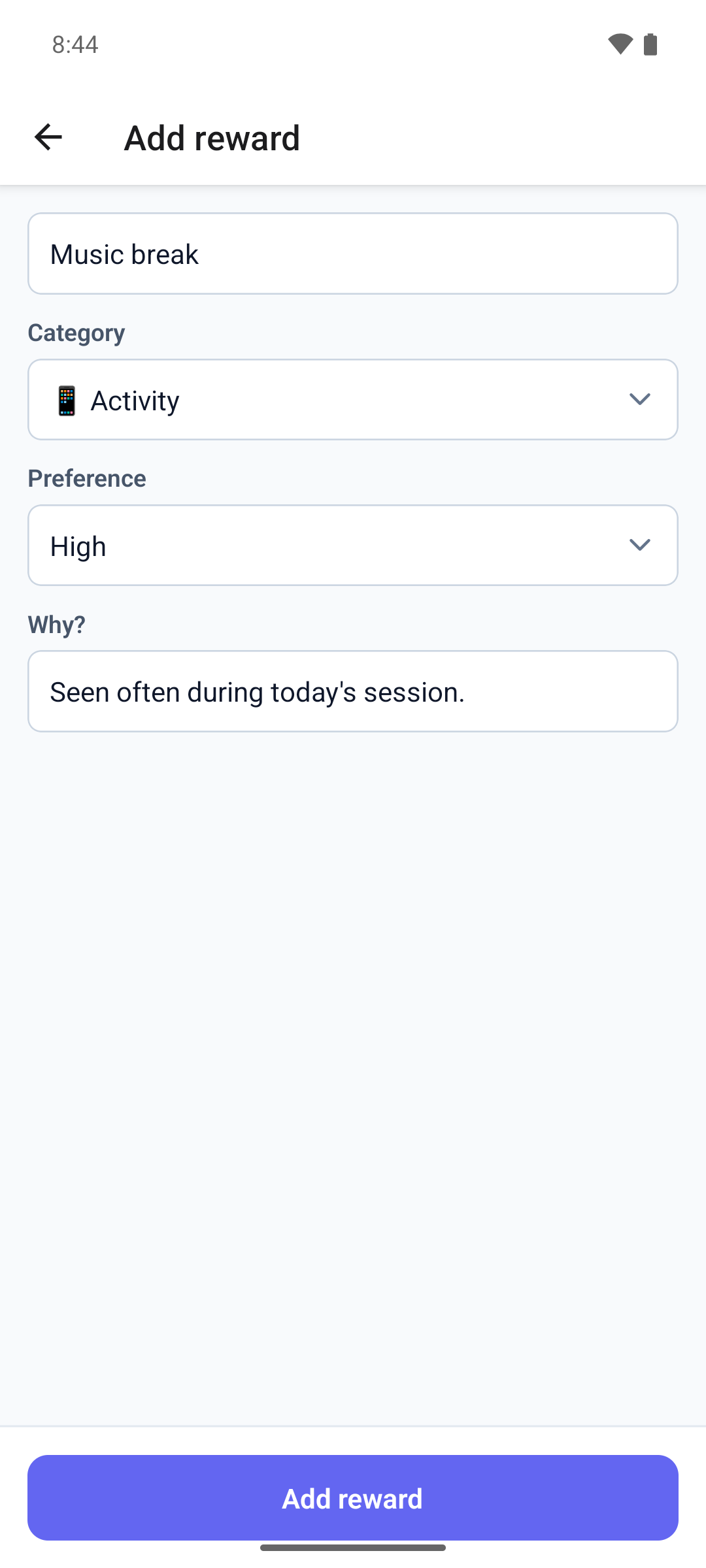
Every field is required.
- Type the Reward name.
- Pick a Category: Edible, Tangible, Activity, Social, Sensory or Token.
- Pick a Preference: High, Medium or Low.
- In Why?, write one line on why you are adding it.
- Tap Add reward. The button works once every field is filled in.
Things to know
- A category or preference, once picked, can be changed but not cleared.
- The form has no description, delivery type or limits. A reward you add has no per-session or per-hour limit until your BCBA sets one.
- Going back closes the form and throws away what you typed, without asking.
- If you press the keyboard's done key with a field missing, the app shows Could not save — check connection, although your connection is fine. Fill in the field and try again.
- If saving fails, the form stays open with what you typed. You don't have permission to do this means your clinic turned the permission off.
What happens next
- The form closes on the Rewards tab and asks for the Quantity of the new reward, as if you had picked it from the list.
- Set how many you gave and tap Log Reward to log it. See Log a reward delivery.
- Tap Cancel if you have not given it yet. The reward stays on the plan and nothing is logged.
- The reward is Active on the plan, with your name and your note. Your BCBA is not notified, but sees both on the plan.